NICE CXone API & Developer Platform: An Operational Assessment
The Integration Problem No One Warns You About
Your agents toggle between seven systems. Your routing logic lives in three places. Your WFM data doesn't match your ACD data, and nobody can explain why Tuesday's forecast was off by 200 calls. You bought a cloud contact center platform expecting unified operations. What you got was another system to integrate.
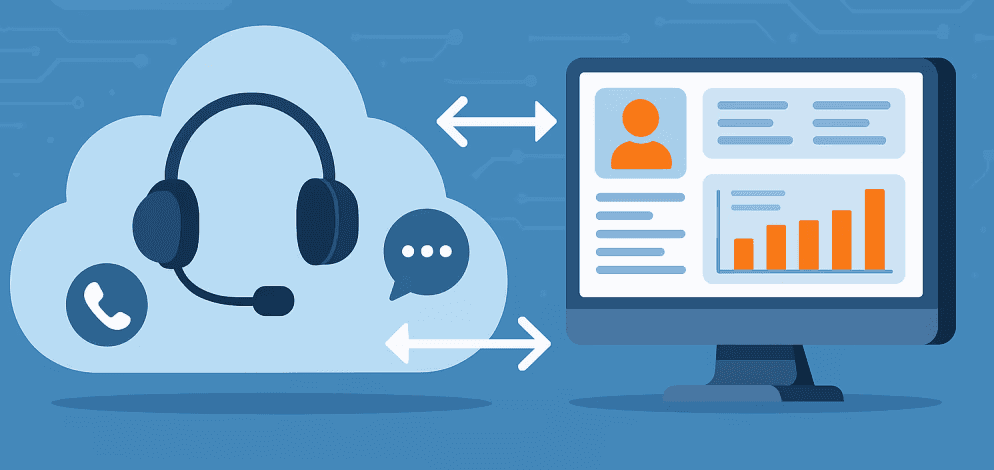
NICE CXone's answer to this problem is unusual for the CCaaS market: expose everything. Over 566 RESTful API endpoints. SDKs for custom agent desktops, mobile apps, and chat widgets. A partner marketplace with 140+ applications. The platform operates on a principle that most vendors only pretend to follow: if a feature exists in the UI, it should be programmable.
This assessment examines what that actually means for teams building integrations, the technical constraints you'll hit, and the operational tradeoffs involved. We've pulled from official documentation, production implementation patterns, and the gaps that only surface after go-live.
Platform Architecture: What You're Actually Building On
CXone runs as a multi-tenant, microservices-based cloud platform with regional data residency options that affect your API endpoint selection. Every API call requires a bearer token obtained via OAuth 2.0 or OpenID Connect. No exceptions.
The APIs are divided into functional domains that map to contact center operations:
Agent and Interaction APIs control session management, state changes, and interaction handling across channels. These require WebSocket connections for real-time state updates; polling won't cut it for production agent desktops.
Routing and ACD APIs expose programmatic control over skill assignments, queue prioritization, and callback scheduling. The strategic value here is context-aware routing that incorporates external data: CRM records, sentiment scores, and business rules without requiring Studio scripts to be modified for every change.
Workforce Management APIs synchronize with HRIS platforms, enable manager self-service portals, and automate schedule bidding. If you're running a BPO with your own scheduling tool, these endpoints let you fetch agent schedules and time-off data from CXone while presenting them in your proprietary employee portal.
Analytics and Reporting APIs are split into two categories that developers frequently confuse. The Reporting API handles historical analysis with defined time-frame parameters. The Real-Time Data API provides current-state snapshots for live dashboards. Using the Reporting API for real-time displays will trigger rate limits and introduce latency, leading your supervisors to question the data's accuracy.
Administrative APIs cover user provisioning, security groups, skill configuration, and IVR deployment. For BPO operations running automated tenant provisioning or DevOps teams implementing configuration-as-code, these endpoints eliminate the manual console work that doesn't scale.
Digital Channel APIs handle chat, email, SMS, social media, and custom messaging channels. The BYOC (Bring Your Own Channel) middleware architecture lets you bridge unsupported channels, a proprietary messaging app, or an IoT alert feed—by translating between those channels' APIs and CXone's Digital Engagement APIs.
Authentication: The Part That Breaks First
CXone authentication follows OAuth 2.0 and OpenID Connect standards, but implementation details trip up experienced developers. For back-end integrations, you create an Access Key in the CXone Admin interface, then generate a client ID and secret, and exchange them for an API token. For client-side applications that require user login, use OIDC's implicit or authorization-code flow with PKCE. The Auth SDK handles token management and automatic refresh, but only if you implement it correctly.
The technical constraints that cause production incidents:
Requirement | Specification | What Breaks If You Ignore It |
|---|---|---|
TLS Version | Minimum 1.2 | Requests fail silently in some client libraries |
Key Rotation | Use /jwks endpoint | Hard-coded RSA keys break without warning when NICE rotates |
Clock Skew | 5-minute tolerance | Token validation fails on servers with drifted system time |
ID Token Validation | Validate immediately after login | Security vulnerabilities and unexpected session behavior |
CORS Origins | Pre-approved only | Valid tokens still fail from unregistered origins |
Token Size | No fixed limits in code | OIDC tokens vary by claims; fixed buffers cause truncation |
Scope definitions control access boundaries with different token lifespans. A "profile" scope for reading and writing user data gets a 24-hour access token. A "seated" scope for active agent sessions gets 60 minutes. This isn't arbitrary; it reflects risk-based security, where active session access requires more frequent re-authentication.
The Integration Hub adds another layer: secrets encrypted at rest using AES. This prevents API keys for external CRMs from appearing in plain text in Studio scripts, a problem more common in production than anyone admits.
Rate Limiting: The Math Your Architecture Must Account For
NICE implements throttling to protect platform stability. These aren't suggestions; they're hard limits that will break your integration during traffic spikes if you haven't designed for them.
Action | Limit | Refill Rate | What This Means Operationally |
|---|---|---|---|
Contact Management | 1,000,000/hour/tenant | N/A | Covers creation, property updates, and message additions |
Specific Contact Update | 250 burst capacity | 17/minute | Prevents a single problematic contact from exhausting tenant capacity |
Outbound Messaging | 360,000/hour | Shared with contact updates | High-volume campaigns must account for this ceiling |
Search Contact Data | 300,000/hour | 5,000/minute | Search-intensive applications hit this before general limits |
Chat WebSocket Connections | 20,000/5 minutes | N/A | Web chat concurrency ceiling for high-traffic sites |
The distinction between general and specific contact limits matters. By restricting update frequency for individual contacts while allowing a high overall volume, NICE prevents a malfunctioning script from exhausting your tenant's entire API allotment. Design your retry logic around the 17-per-minute refill rate, not the 250 burst capacity.
Most APIs enforce limits of 10-60 requests per second per endpoint. Bulk operations outperform iterative single-record calls. Exponential backoff isn't optional; it's required for production resilience. Use webhooks instead of polling wherever available.
Resiliency: Circuit Breakers and Failure Handling
NICE implements circuit breaker logic in REST API actions to protect both the contact center and external systems. If an external URL becomes unreachable or returns excessive failures defined as 50% failure rate over a 30-second rolling window with at least 100 requests, the platform halts all executions to that URL for 30 seconds.
This automatic cool-down period prevents cascade failures, but it means your integration must handle the circuit-open state gracefully. If your CRM screen pop relies on an external API that trips the circuit breaker, agents see nothing until the circuit breaker closes. Design for degraded operation, not just happy-path success.
The Integration Hub provides audit history for every connection, tracking changes by user, date, and action type. For compliance-heavy industries, this trail answers the questions that arise during incident reviews: who modified the integration, when, and what changed.
SDK Ecosystem: Beyond REST Calls
The REST APIs handle most use cases, but specific patterns require the SDKs.
CXone Agent SDK enables custom agent desktop development. Distributed via npm and GitHub, it operates on an event-subscription model rather than polling. Your application subscribes to specific events, inbound calls, state changes, and the platform publishes data as it occurs. The SDK package includes documentation, usage examples, and a sample agent application. Generally available as of CXone 24.4.
Chat Web SDK embeds CXone's digital chat into web applications with a custom UI while leveraging CXone's back-end messaging infrastructure.
Mobile SDK provides pre-built UI widgets for iOS and Android apps that tie into CXone services.
The event-driven architecture matters for performance. Instead of constantly polling the platform for updates, subscription-based approaches reduce API overhead and deliver near-real-time responsiveness that polling can't match.
Enlighten AI: Accessing the Intelligence Layer
NICE's Enlighten suite exposes AI-derived insights through dedicated API endpoints. This isn't a black box; it's programmable intelligence you can incorporate into custom workflows.
Interaction Analytics API provides access to outputs from linguistic engines analyzing 100% of interactions across channels:
Sentiment scores on a relational scale, accounting for semantics, context, and non-verbal cues like crosstalk and speaking rate
AutoSummary details that can be pushed to CRM systems
Entity extraction pulls specific data points, account numbers, and product names from analyzed transcripts
Experience Memory (XM) stores and recalls customer history and preferences. Query the platform to find the last point of friction for a specific customer before the interaction begins. This enables personalization that previously required complex custom database integrations.
Virtual Agent Hub supports bring-your-own-AI through proxy tunnels between CXone Studio scripts and external conversational AI platforms, NeuralSeek, Omilia, and custom LLM agents. The integration requires a secure proxy tunnel, a Studio script for flow control and error handling, and proper header configuration for authentication.
Component | Function | Requirement |
|---|---|---|
Custom Exchange Endpoint | HTTP interface to external bot | Secure proxy tunnel (e.g., proxy_tunnel_v3_agent) |
Studio Script | Flow control and error logic | VAHSampleChatScript or equivalent |
ApiKey Header | External service authentication | Unique per client and environment |
Overrideschema | Schema acceptance by VAH | Set to "true" in request headers |
Bot Builder also allows custom actions triggered by specific intents API calls that query external systems for order status, billing info, or scheduling availability, then use that data to inform bot responses.
Integration Patterns That Actually Work
Four patterns cover most production scenarios:
Pattern 1: CRM-Centric Integration
Salesforce, ServiceNow, Microsoft Dynamics, and Zendesk integrations typically follow this approach, often using NICE's prebuilt connectors or partner solutions from CXexchange.
Pattern 2: Data Warehouse Integration
Organizations requiring consolidated reporting across multiple platforms implement scheduled data extraction. The Data Extraction API allows systematic extraction of interaction records synchronized with broader enterprise BI strategies.
Pattern 3: Custom Agent Desktop
Unified agent experiences consolidating multiple systems into a single interface. The Agent SDK handles voice calls, chats, and status, while the custom application layers on CRM data, knowledge base access, and business-specific workflows.
Pattern 4: AI/ML Enhancement
Real-time or near-real-time AI augmentation using external models. Interaction data flows to custom AI for analysis, with results pushed back via API to influence routing, agent coaching, or customer-facing responses.
Infrastructure Requirements: What IT Needs to Know
Developing for CXone requires infrastructure planning beyond software expertise.
Category | Specification | Impact |
|---|---|---|
Network Latency | Less than 200ms round-trip | Critical for real-time WebSocket events and voice quality |
Data Bandwidth | 5 kbps per workstation | Minimal but must be consistent for API transport |
Integrated Softphone | 35 kbps per workstation | Required if using the SDK for voice controls |
Operating System | Windows 10/11 (64-bit) | Standard for Studio and administrative applications |
.NET Framework | Version 4.8 or later | Required for the Desktop Studio application |
Processor | 7th generation i3 or later | Recommended for optimal performance |
RAM | 8GB minimum | The system can run on 4GB, but modern browser-based desktops are memory-intensive |
Reliance on WebSockets for digital engagement integrations means network stability is paramount. Occasional API lags during high-traffic periods have been reported, emphasizing the need for robust error handling and retry logic.
Developer Experience: What the Portal Actually Provides
The CXone Developer Portal at developer.niceincontact.com contains:
API reference documentation for every endpoint with request/response schemas and example payloads
Interactive "Try It Out" console for executing API calls directly from documentation pages
Code samples in JavaScript, C#, Java, Python, PHP, Ruby, and Scala
Conceptual guides explaining how to accomplish tasks using multiple API calls together
SDK source code and sample applications on the NICE-DEVone GitHub organization
The Try-It-Out feature functions as a sandbox tool. After logging in with valid credentials, you execute calls against your CXone environment and see live responses. The portal manages OAuth tokens and base URLs after authentication.
Documentation quality is generally thorough but can lag behind platform releases. Community forums and partner channels often provide more current information for cutting-edge features. Authentication flows and error handling documentation have historically required improvement, though recent updates have addressed many gaps.
Versioning and Change Management
CXone follows a quarterly release cadence labeled by year.release (25.1, 25.2, 25.3). The API lifecycle management approach:
Deprecation Process: When an API is marked for deprecation, it appears in a Deprecation Tracker with the expected end-of-life version and replacement path. The deprecated API continues to function during the transition period, with no immediate breakage, but the documentation encourages migration.
Example: The v1 GET /users endpoint was deprecated in favor of the v2 search API, offering better performance and pagination. Documentation advised developers to switch before release 25.1, when v1 would be removed.
Breaking Changes: Avoided when possible. When necessary, delivered via new versions or flagged in release notes. Labels indicate breaking changes with impacted versions specified.
Growth Rate: By release 25.3, CXone had 566 total APIs. In one quarter, 19 new APIs were added, and 40 existing APIs were enhanced. New domains included Data Policy management and additional Workforce Management endpoints.
The What's New section documents every quarterly release with API Change Logs summarizing additions, changes, and deprecations.
Competitive Position
Capability | NICE CXone | Genesys Cloud | Amazon Connect | Five9 |
|---|---|---|---|---|
API Breadth | Excellent | Excellent | Good | Good |
Documentation | Good | Very Good | Excellent | Fair |
Real-time APIs | Good | Excellent | Good | Fair |
AI/ML Integration | Very Good | Very Good | Excellent | Good |
Partner Ecosystem | Excellent | Very Good | Excellent | Good |
Developer Experience | Good | Very Good | Very Good | Fair |
NICE's differentiation centers on comprehensive WFM and analytics API coverage reflecting its heritage in workforce optimization. The platform positions itself as enterprise-grade with corresponding complexity. G2 ratings place NICE CXone at 4.3, Genesys Cloud CX at 4.4, and Talkdesk at 4.4.
Pricing reflects the target market: the Omnichannel Suite starts around $110/agent/month, and the Ultimate Suite reaches $249. Genesys begins at approximately $75/month but may require additional partner solutions to achieve equivalent WEM depth.
The learning curve criticism appears consistently across reviews. NICE targets large enterprises with complex, high-volume operations that justify the cost through efficiency gains from advanced AI and workforce optimization.
Future Direction
ElevateAI Initiative: NICE has opened its underlying AI technology as a standalone service. Speech-to-text API available for free usage up to 1,000 transcriptions per day. Not limited to CXone customers, it is designed to attract developers from any contact center platform.
Enlighten Copilot, Autopilot, and Actions: Generative AI solutions announced mid-2023 for agent assistance, self-service automation, and process improvement recommendations. API access to these capabilities is expected as they mature.
Programmatic Application Registration: New APIs allow integrations to be registered without manual form submission or approval delays. Reduces friction for partner onboarding and sandbox provisioning.
Platform Unification: Workforce Management, Quality, Analytics, and Performance Management have merged into a single CXone cloud suite (CXone Mpower). All accessible under one portal and one authentication scheme. Future acquisitions will likely follow this pattern.
Implementation Readiness
Before Development:
Confirm API access in the contract and licensing
Provide a sandbox environment
Establish developer portal access
Obtain OAuth application credentials
Document rate limits for target endpoints
Complete security review for integration architecture
Clarify data residency requirements
Development Phase:
Test the authentication flow and implement token refresh
Cover all documented error codes in error handling
Implement exponential backoff retry logic
Capture request/response logging for debugging
Validate rate limit compliance through performance testing
Test failover scenarios
Pre-Production:
Secure production credentials in vault (not code)
Configure monitoring and alerting
Creates a runbook for common failure scenarios
Document support escalation path
Establish a change management process for API updates
Operational Recommendations
Decouple Data Needs: Use Real-Time API for operational visibility and Reporting API for deep analysis. Mixing these purposes leads to latency problems and rate limit exhaustion.
Implement Stateless Orchestration: Leverage Correlation ID to track interactions across the platform. Essential for correlating transcripts from the Interaction Analytics API with recordings in the Media Playback API and agent performance scores in WEM.
Design for Circuit Breaker Behavior: Implement the pattern in custom code even when not using native Studio actions. Your integration must not become a bottleneck during periods of instability in the external system.
Never Hard-Code Credentials: Use Integration Hub secrets or an external vault. Implement key rotation by caching /jwks endpoint output rather than embedding RSA keys.
Start with Prebuilt Connectors: NICE offers native integrations for major platforms. Evaluate these before custom API work. CXexchange's 140+ applications may solve your use case without development investment.
Invest in Studio Expertise: Many integration scenarios are better served by Studio customization than pure API development. Build this capability alongside API skills.
What This Means for Your Team
NICE CXone offers one of the most complete API ecosystems in contact center technology. The question isn't whether the platform can support your integration scenario; it almost certainly can. The question is whether your organization has the strategy, resources, and expertise to execute effectively.
The platform rewards teams who invest in understanding its architecture. The learning curve is a real budget for developer ramp-up time. But for organizations with complex integration requirements or ambitious custom development, CXone provides building blocks for differentiated customer experiences that wouldn't be possible on more constrained platforms.
For teams tired of vendor limitations and black-box constraints, the openness is the point. Everything you can do in the console, you can do through APIs. Every AI insight flowing through the platform can be captured and acted on. Every agent interaction can be enhanced with external context.
That's not marketing language. It's an operational reality if you're willing to build for it.
Ready for Better CX?

Whether you're selecting your CX technology stack or evaluating outsourcing options, InflectionCX is your go-to-partner. Contact us today.
AI Readiness Assessment
We map where AI fits in your operation. What's working, what's hype, what's actually worth doing.

Unified CX Outsourcing
InflectionCX runs contact centers where humans and AI operate as one system.