
Sarah Mitchell
CX Industry Analyst
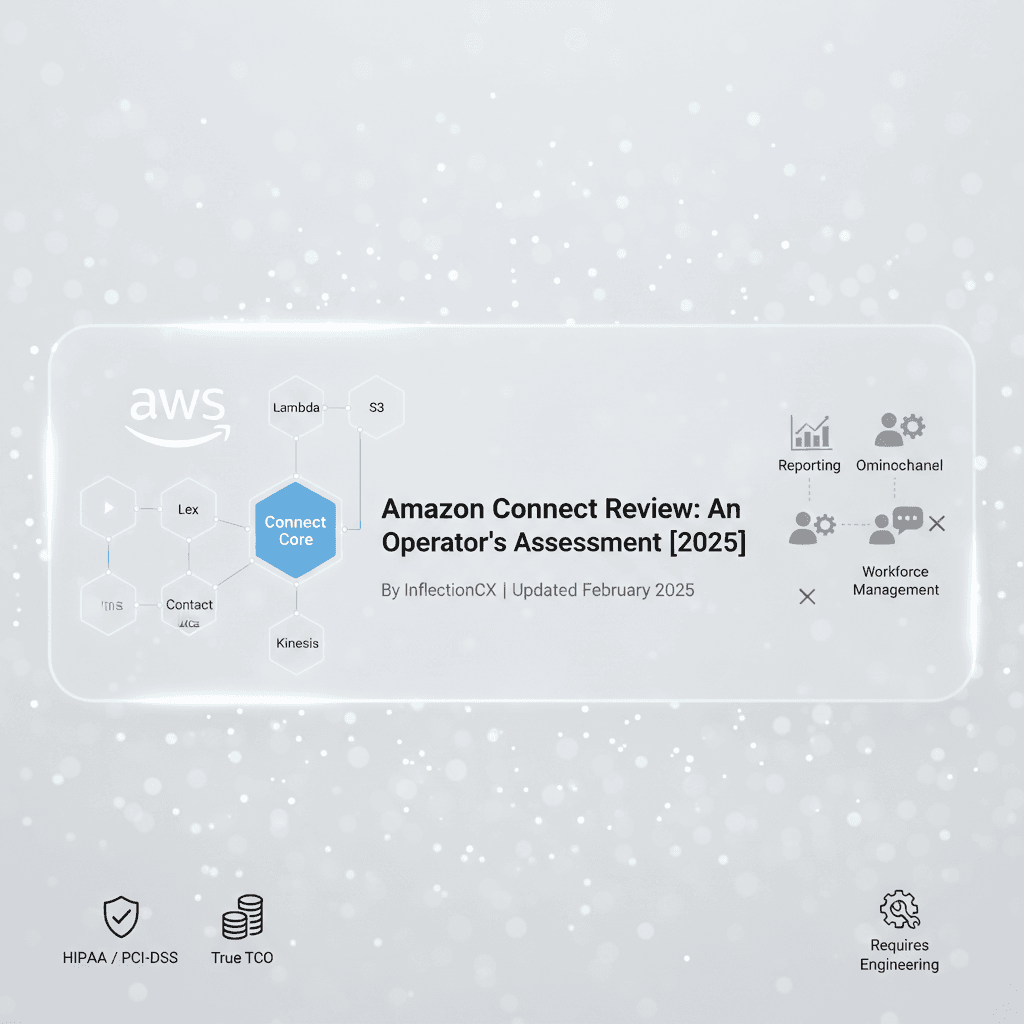
Most contact center platform evaluations compare feature lists. That's the wrong frame. Amazon Connect is an architectural decision — one that rewards organizations willing to build and frustrates those expecting a finished product. This assessment covers what that distinction means in practice, based on operational experience running contact centers for healthcare and financial services organizations.
Last updated: February 2025
Key Takeaways
Amazon Connect is a collection of AWS services orchestrated for customer interactions — not a traditional contact center platform. It's a builder's tool, not a buyer's solution.
True total cost of ownership runs 3–5x the headline $0.018/minute rate once you factor in Lambda, Lex, Contact Lens, S3, and engineering hours.
Connect excels for organizations with existing AWS investment, variable call volumes, and internal development capability.
Out-of-the-box reporting, workforce management, and omnichannel capabilities lag behind mature CCaaS competitors like Genesys Cloud CX and NICE CXone.
Healthcare and financial services organizations can achieve HIPAA and PCI-DSS compliance on Connect, but the operational burden goes far beyond signing a BAA.
The staffing model is the hidden variable — you need AWS engineers and contact center operations expertise, and those rarely exist in the same team.
Organizations without cloud engineering depth should either invest in building that capability, partner with an operations firm that bridges the gap, or choose a more turnkey platform.
What Is Amazon Connect, Really?
Amazon Connect is not a contact center with APIs bolted on. It's a set of AWS services — telephony, routing, storage, machine learning — assembled to handle customer interactions. That architectural reality determines everything about what's possible, what's difficult, and what kind of organization should be using it.
The distinction matters because it sets expectations correctly. Platforms like Genesys Cloud CX or NICE CXone are contact centers you configure. Amazon Connect is infrastructure you build a contact center on top of. Both approaches work. They work for very different organizations.
Connect runs on an eventual consistency model. When you create a user or update a routing profile via API, the change propagates across a distributed system — it's not instant. A script that creates a resource and immediately queries it will often fail. Every programmatic workflow needs exponential backoff logic. Teams accustomed to transactional databases will need to adjust their engineering patterns.
The telephony layer sits behind AWS-managed carrier relationships. You can't bring your own carrier or preserve existing trunk configurations. PSTN connectivity options vary by region. These aren't dealbreakers, but they're constraints that shape what you can build and how.
The Real Cost of Amazon Connect: Beyond Per-Minute Pricing
Amazon Connect's consumption-based pricing starts at $0.018 per minute for voice — a figure that looks transformative compared to traditional per-seat licensing. The reality is more complex. True enterprise total cost of ownership must account for every AWS service powering your integrations, plus the engineering hours required to build what other platforms include natively.
Here's what a realistic cost picture looks like across different scales:
Cost Component | 100-Seat Operation | 500-Seat Operation | 1,000+ Seat Operation |
|---|---|---|---|
Connect Voice ($0.018/min) | $15,000–$25,000/mo | $75,000–$125,000/mo | $150,000–$275,000/mo |
DID Numbers ($0.03/day each) | $300/mo | $1,500/mo | $3,000+/mo |
Inbound Telco ($0.0022/min) | $1,800–$3,000/mo | $9,000–$15,000/mo | $18,000–$33,000/mo |
Contact Lens Analytics | $3,000–$8,000/mo | $15,000–$40,000/mo | $30,000–$80,000/mo |
Amazon Lex (IVR/bot) | $1,000–$3,000/mo | $5,000–$15,000/mo | $10,000–$30,000/mo |
Lambda Invocations | $500–$2,000/mo | $2,500–$10,000/mo | $5,000–$20,000/mo |
S3 Storage (recordings) | $200–$500/mo | $1,000–$2,500/mo | $2,000–$5,000/mo |
Kinesis Streaming | $300–$1,000/mo | $1,500–$5,000/mo | $3,000–$10,000/mo |
CloudWatch / Monitoring | $200–$500/mo | $1,000–$2,500/mo | $2,000–$5,000/mo |
AWS Support Plan | $100–$400/mo | $400–$1,500/mo | $1,500–$5,000/mo |
Engineering Hours (ongoing) | $8,000–$15,000/mo | $20,000–$40,000/mo | $40,000–$80,000/mo |
Estimated Total | $30,000–$58,000/mo | $131,000–$257,000/mo | $265,000–$546,000/mo |
These ranges reflect real operational variance — your specific IVR complexity, recording retention requirements, AI feature adoption, and integration depth will determine where you land. The engineering hours line is the one most organizations underestimate. Connect requires continuous development to maintain, optimize, and extend.
The consumption model eliminates seat-based licensing complexity and delivers substantial savings for variable or seasonal volume. But it also creates cost unpredictability that requires sophisticated monitoring. Default service quotas — 10 concurrent active calls per instance, 10,000 API requests per second — are adjustable but need proactive management. AWS provides quota-monitoring solutions tracking 70+ quotas across 15+ service categories, but you have to set them up.
Core Capabilities: What You Get and What You Build
Omnichannel Routing
Connect handles voice and chat natively with unified queue-based routing. Tasks extend the routing engine to non-real-time work items — CRM escalations, callback requests, and follow-up items route through the same queues and profiles as live interactions.
Email routing exists but is basic. Social media requires custom integration. If your operation handles significant volume across email, SMS, social, and messaging apps, Connect will require substantially more engineering than platforms with native omnichannel capabilities.
AI and Machine Learning
This is where Connect's AWS parentage pays dividends:
Contact Lens provides transcription, sentiment analysis, and category detection for voice and chat. Real-time analysis streams to Kinesis for immediate action — supervisor alerts, coaching prompts, dynamic script adjustments. Post-call analysis generates transcripts with timestamps, sentiment summaries, and issue detection. Limitations include 2–5 seconds of real-time latency, manual configuration for custom vocabulary, and pattern-matching (not ML-based) category detection.
Amazon Lex delivers native conversational AI without third-party dependencies. Bots handle entire interactions or gather intent before agent handoff. A critical best practice: configure AMAZON.FallbackIntent with Lambda fulfillment so unexpected utterances get flexible processing instead of repetitive clarification prompts.
Amazon Q (formerly Wisdom) provides AI-powered agent assistance — knowledge ingestion, real-time recommendations, and direct knowledge base search. The recommendation engine improves with usage, but requires rigorous prompt engineering and meticulous knowledge base maintenance. This is not a set-and-forget capability.
Voice ID handles biometric authentication and fraud detection. Callers enroll during calls; subsequent interactions verify against stored voiceprints. Watchlists flag known fraudulent voiceprints in real time. Implementation note: enrollment requires 30+ seconds of natural speech — the experience must capture that without disrupting conversation flow.
Workforce Management and Quality
Connect lacks native WFM and WFO capabilities. This is the single most commonly cited gap in enterprise evaluations. Integration with NICE, Verint, or Calabrio is possible through available APIs, but implementation requires significant effort.
Quality management workflows that come standard in Genesys Cloud or NICE CXone must be custom-built on Connect. For organizations running quality programs at scale, this represents a meaningful investment in development and ongoing maintenance — or an opportunity to layer purpose-built QA systems on top of the platform.
Reporting and Analytics
Native reporting is limited — a consistent pain point across operator feedback. Connect provides two stock reports and basic historical/real-time metrics through the admin console. The GetMetricDataV2 and GetCurrentUserData APIs supply raw data, but most organizations need custom dashboards via QuickSight or Grafana, additional data processing pipelines, and third-party tools for comprehensive operational reporting.
If your leadership team expects the kind of out-of-the-box reporting available in mature CCaaS platforms, budget significant development time or plan to integrate external analytics.
Where Amazon Connect Excels
AWS ecosystem integration is Connect's defining advantage. If your organization already runs workloads on AWS, Connect slots into your existing infrastructure — IAM, CloudWatch, S3, Lambda, and the full machine learning stack are native, not integrated. This eliminates the middleware complexity that plagues multi-vendor architectures.
Scalability is effectively unlimited. Connect handles capacity elastically — no infrastructure provisioning for seasonal spikes, no capacity planning for unexpected volume surges. For operations with significant volume variability, this eliminates one of the most expensive aspects of traditional contact center management.
Innovation velocity benefits from AWS's R&D investment. New AI/ML capabilities, including generative AI features, flow downstream to Connect faster than competitors can build equivalents. Amazon Q's real-time agent assistance and Contact Lens's evolving analytics reflect a pace of AI development that standalone CCaaS vendors struggle to match.
Pay-per-use pricing aligns cost directly with value delivered. No shelfware. No paying for seats during off-hours. For operations that have navigated the pain of true-up negotiations and seat-count optimization, the consumption model is genuinely liberating.
Lambda integration creates unlimited customization potential. Within contact flows, Lambda can execute at any point — external CRM lookups, DynamoDB queries for caller history, real-time routing based on inventory levels or agent certifications. The 20-second timeout and 100-block flow limits shape implementation patterns, but the flexibility is unmatched.
Where Amazon Connect Falls Short
Reporting is the most consistent operational pain point. Organizations running multi-hundred-seat operations need visibility that Connect's native capabilities simply don't provide. You'll build custom dashboards, invest in data engineering, or integrate third-party analytics — plan for this from day one.
The agent desktop is functional but not exceptional. The Contact Control Panel embeds via the Streams JavaScript library into custom applications, which provides flexibility but requires development. The CCP loads into an iframe with WebRTC handling isolated from your host page. Every embedding domain must be allowlisted. Voice contacts auto-change agent status to non-routable; tasks and chats don't, but count toward concurrency limits. Custom dashboards need to account for these distinctions to display accurate agent availability.
Omnichannel depth lags competitors. Voice and chat are solid. Email is basic. Social media, SMS, and messaging platform support require custom integration. If your customer engagement strategy spans five or more channels, evaluate whether Connect's build-it-yourself model serves that strategy or slows it down.
No native workforce management. Forecasting, scheduling, adherence tracking, and intraday management all require third-party tools or custom development. For operations where labor optimization drives margin, this gap has direct financial impact.
AWS dependency is total. You can't bring your own carrier. Infrastructure-as-code support has gaps — no high-level CDK constructs, explicit resource relationship management required. If your organization values vendor portability or has existing carrier contracts, Connect removes options you may want to preserve.
The Team You Actually Need to Run Amazon Connect
This is the question no one answers in platform evaluations, and it's often the deciding factor. Amazon Connect requires two distinct skill sets that rarely coexist in one team: AWS cloud engineering and contact center operations.
At 100 seats, expect to need at minimum one dedicated AWS engineer (Lambda, Lex, CloudFormation, IAM), a contact center administrator who can manage flows, queues, and routing, and part-time DevOps support for CI/CD and infrastructure management. That's a lean team — any turnover creates immediate risk.
At 500+ seats, the staffing model expands: two to three AWS engineers, dedicated DevOps, a contact center operations manager, WFM specialists (whether using third-party tools or custom solutions), and data engineering support for reporting and analytics pipelines. You're looking at a team of six to ten people whose sole job is platform management.
At 1,000+ seats, add dedicated security and compliance resources, a platform architect, and QA engineering support. The team can reach 12–15 people.
The critical challenge is that AWS engineering talent and contact center operations talent come from different labor markets, speak different languages, and optimize for different outcomes. The engineer wants clean architecture. The operations leader wants reliable call routing and accurate reporting. Bridging that gap — ensuring the technical decisions serve operational outcomes — is where many Connect deployments struggle.
Organizations that lack this internal capability have three options: build the team (18–24 month ramp to full effectiveness), engage an AWS consulting partner for implementation with a plan to transition to internal management, or partner with a CX operations firm that combines platform expertise with day-to-day operational management. The right choice depends on whether contact center technology is a core competency you intend to develop or an operational function you need to run reliably while focusing resources elsewhere.
Amazon Connect for Healthcare: HIPAA Compliance in Practice
Amazon Connect is HIPAA-eligible, and AWS will sign a Business Associate Agreement. That's the easy part. Running a HIPAA-compliant contact center on Connect requires operational discipline across multiple AWS services and ongoing vigilance that goes far beyond a signed agreement.
BAA coverage must extend to every AWS service handling PHI. Connect, S3, Lambda, Lex, Kinesis, Contact Lens, DynamoDB — each service processing protected health information needs to be included in your BAA and configured according to AWS's HIPAA guidance. Missing one creates a compliance gap.
Encryption decisions compound across the stack. Call recordings in S3 need server-side encryption. Kinesis streams require KMS encryption. Lambda environment variables holding any PHI references must be encrypted. Contact attributes carrying patient information are subject to the 32KB total limit — plan your data architecture around that constraint.
Audit trail requirements shape your architecture. CloudTrail must log all API activity. Access to recordings and transcripts needs IAM policies aligned with minimum necessary access principles. CloudWatch logs must be retained according to your compliance framework. S3 access logging provides the object-level audit trail regulators expect.
Healthcare-specific workflows require custom development. Patient triage routing based on acuity, appointment scheduling integrations with EHR systems, prescription refill automation, and post-discharge follow-up workflows all require Lambda functions integrated with your clinical systems. These integrations handle PHI and must be built and maintained to HIPAA standards.
Healthcare Compliance Checklist
BAA executed covering all AWS services processing PHI
S3 encryption enabled for all recording and transcript buckets
KMS encryption configured for Kinesis streams
CloudTrail logging active for all API calls
IAM policies enforcing minimum necessary access
Contact flow design prevents PHI exposure in logs
Lambda functions handling PHI follow secure coding practices
Agent training and access controls documented
Incident response procedures specific to PHI breaches established
Regular compliance audits scheduled (not just at implementation)
The operational burden is real, but manageable for organizations with compliance infrastructure already in place. Healthcare organizations evaluating Connect should assess whether their team has both the AWS depth and the compliance expertise to maintain this posture continuously — not just at launch. For many, the most pragmatic path is partnering with an operations team that lives in both worlds daily.
Amazon Connect for Financial Services: Security and Compliance at Scale
Financial services contact centers face a layered compliance landscape — PCI-DSS for payment processing, SOC 2 for operational controls, and often state-specific regulatory requirements. Connect can satisfy these requirements, but the implementation burden falls on you.
PCI-DSS compliance for payment processing requires careful contact flow design. Sensitive cardholder data should be captured through Lex bots or DTMF input that bypasses agent exposure. Call recording must pause during payment collection. Lambda functions processing payment data need network isolation and encryption. These patterns are implementable but require deliberate architecture.
Voice ID adds a powerful fraud detection layer that many financial services organizations find compelling. Biometric authentication reduces average handle time by eliminating knowledge-based verification. Watchlists flag known fraudulent voiceprints in real time. The enrollment process requires 30+ seconds of natural speech, which needs thoughtful integration into the customer experience.
SOC 2 compliance benefits from AWS's infrastructure-level certifications, but your Connect implementation must maintain its own control environment — access management, change control, monitoring, and incident response all require documentation and evidence specific to your deployment.
Regulatory recording and retention requirements vary by jurisdiction and product type. S3 lifecycle policies can manage retention windows, but configuring them correctly across product lines, states, and regulatory frameworks requires careful planning. Some retention requirements span seven years or more — factor long-term storage costs into your TCO model.
Financial Services Compliance Checklist
PCI-DSS scope defined; payment flows isolated from agent exposure
Recording pause configured during sensitive data capture
Voice ID enrolled for biometric authentication and fraud detection
SOC 2 control environment documented for Connect-specific processes
IAM policies enforcing role-based access with regular review cycles
Kinesis encryption enabled for streaming compliance data
S3 retention policies configured per regulatory requirement
CloudTrail and CloudWatch providing continuous audit visibility
Incident response procedures established for data breaches
State-specific regulatory requirements mapped to technical controls
Financial services organizations considering Connect should weigh the platform's flexibility against the compliance engineering required. The investment pays off for organizations building differentiated customer experiences where security and personalization intersect — biometric authentication flowing into personalized routing based on customer profile and product relationships. But achieving that vision requires a team that understands both the regulatory landscape and the AWS engineering to implement it reliably.
Amazon Connect vs. Competitors: An Honest Comparison
The right platform depends on organizational capability and strategic intent. Here's how the major options compare across the dimensions that matter operationally:
Capability | Amazon Connect | Genesys Cloud CX | NICE CXone | Five9 |
|---|---|---|---|---|
Deployment Model | Build on AWS | Configure + customize | Configure + customize | Configure + light customization |
Voice Quality | AWS-managed carriers | Carrier flexibility | Carrier flexibility | Carrier flexibility |
Omnichannel Depth | Voice + chat native; others custom | Comprehensive native | Comprehensive native | Strong native |
AI / ML Capabilities | Deep (AWS ML stack) | Strong (native + partners) | Strong (Enlighten AI) | Good (native) |
Workforce Management | Third-party required | Native (comprehensive) | Native (industry-leading) | Native |
Quality Management | Custom-built or third-party | Native | Native | Native |
Reporting / Analytics | Custom-built required | Comprehensive native | Comprehensive native | Good native |
Pricing Model | Consumption (pay-per-use) | Per-seat + usage | Per-seat + usage | Per-seat |
AWS Integration | Native | API-based | API-based | API-based |
Implementation Effort | High (engineering required) | Moderate | Moderate | Low–moderate |
Customization Ceiling | Highest (unlimited with AWS) | High | Moderate–high | Moderate |
Best For | AWS-native builders | Enterprise feature depth | WFM-centric operations | Mid-market simplicity |
Connect represents the "build" end of the spectrum. Genesys and NICE offer more assembled solutions requiring less engineering but providing less ultimate flexibility. The choice isn't about which platform is better — it's about which approach matches your organization's capability and intent.
When Amazon Connect Is the Right Choice
Connect fits your organization if you have existing AWS investment and infrastructure, development capability (internal or through an operations partner), an appetite for customization over configuration, variable or seasonal contact volume, a desire to integrate the contact center into a broader cloud architecture, and a long-term platform mindset with willingness to invest in building capabilities over time.
When to Evaluate Alternatives
Consider other platforms if you lack AWS or cloud engineering expertise with no plan to acquire it, require extensive out-of-the-box functionality on a near-term timeline, need mature workforce management capabilities on day one, process significant email or social media volume requiring native routing, prefer configuration over development, or face a timeline requiring rapid deployment with minimal customization.
The honest assessment: if you're reading this list and more items in the second group describe your situation than the first, Connect will create more problems than it solves — regardless of how compelling the pricing looks on paper.
Frequently Asked Questions About Amazon Connect
Is Amazon Connect HIPAA compliant?
Amazon Connect is HIPAA-eligible, and AWS will sign a Business Associate Agreement covering it. However, achieving HIPAA compliance requires configuring encryption, access controls, audit logging, and PHI handling correctly across every AWS service in your architecture — Connect, S3, Lambda, Kinesis, and others. The BAA is necessary but not sufficient.
How much does Amazon Connect cost per agent?
Amazon Connect doesn't use per-agent pricing. Voice costs $0.018 per minute, with additional charges for phone numbers, inbound telco, chat messages, and tasks. True total cost of ownership — including Lambda, Lex, Contact Lens, S3, Kinesis, and engineering hours — typically runs $300–$550 per agent per month at scale, though this varies significantly based on feature adoption and call volume.
How long does Amazon Connect implementation take?
A basic deployment can be operational in days. An enterprise implementation with CRM integration, custom IVR, AI capabilities, compliance controls, and workforce management tooling typically takes 3–6 months. Complex healthcare or financial services deployments with full compliance architecture can extend to 6–12 months.
Can non-technical people manage Amazon Connect?
Day-to-day contact flow changes, queue management, and user administration can be handled by trained contact center administrators. But infrastructure management, Lambda development, Lex bot tuning, reporting pipeline maintenance, and compliance configuration require AWS engineering skills. Most organizations need both roles.
What are the main alternatives to Amazon Connect?
Genesys Cloud CX for enterprise feature completeness, NICE CXone for workforce management depth, Five9 for mid-market simplicity, and Twilio Flex for maximum developer flexibility. Each represents a different point on the build-versus-buy spectrum.
Does Amazon Connect support workforce management?
Not natively. Workforce management — forecasting, scheduling, adherence tracking, and intraday management — requires integration with third-party tools like NICE, Verint, or Calabrio, or custom development using Connect's APIs and data exports.
What happens if AWS has an outage?
Connect supports multi-region replication via Traffic Distribution Groups for mission-critical operations, enabling telephony traffic to shift between regions during service disruptions. Implementation requires configuring Kinesis streaming in both regions, identity provider integration with Global Resiliency SAML endpoints, and region-aware custom CCPs. Without this architecture, an AWS regional outage takes your contact center offline.
Can Amazon Connect integrate with Salesforce and ServiceNow?
Yes. Customer Profiles natively aggregates data from Salesforce, ServiceNow, Zendesk, S3, and custom API sources. Lambda functions can read and write to these systems at any point in a contact flow. Amazon Q ingests knowledge from Salesforce and ServiceNow for real-time agent recommendations. The integrations are capable but require development — they're not drag-and-drop connectors.
The Operator's Verdict
Amazon Connect is a powerful platform for organizations that understand what they're buying: infrastructure for building a contact center, not a contact center you configure and run. The organizations that succeed with Connect share three characteristics — deep AWS capability, operational patience, and a genuine intent to build differentiated customer experiences that justify the engineering investment.
For healthcare and financial services organizations specifically, Connect's compliance capabilities and AI depth create real possibilities. But realizing those possibilities requires a team that bridges AWS engineering and contact center operations — two disciplines that rarely intersect naturally.
The platform decision is ultimately an organizational capability decision. If your strength is technology and you want to invest in building, Connect gives you the highest ceiling. If your strength is operations and you need a reliable platform to run, more assembled solutions will serve you better — or you need an operational partner who brings both the platform expertise and the day-to-day CX operations capability to make Connect work at scale.
The worst outcome is choosing Connect for its pricing, underestimating the build requirement, and spending 18 months recreating capabilities that competitors include out of the box. The best outcome is choosing Connect with clear eyes, the right team, and a roadmap that turns infrastructure flexibility into customer experiences your competitors can't replicate.
If you're evaluating Amazon Connect — or any contact center platform — and want an operator's perspective on what it actually takes to run it, we help organizations navigate these decisions every day. The right platform is the one that matches your operational reality, not your feature wishlist.
This assessment reflects operational experience managing contact centers for healthcare and financial services organizations. It is independently produced and not sponsored by Amazon Web Services or any platform vendor.
More in Analysis


Ready for Better CX?

Whether you're selecting your CX technology stack or evaluating outsourcing options, InflectionCX is your go-to-partner. Contact us today.
AI Readiness Assessment
We map where AI fits in your operation. What's working, what's hype, what's actually worth doing.

Unified CX Outsourcing
InflectionCX runs contact centers where humans and AI operate as one system.