
Sarah Mitchell
CX Industry Analyst
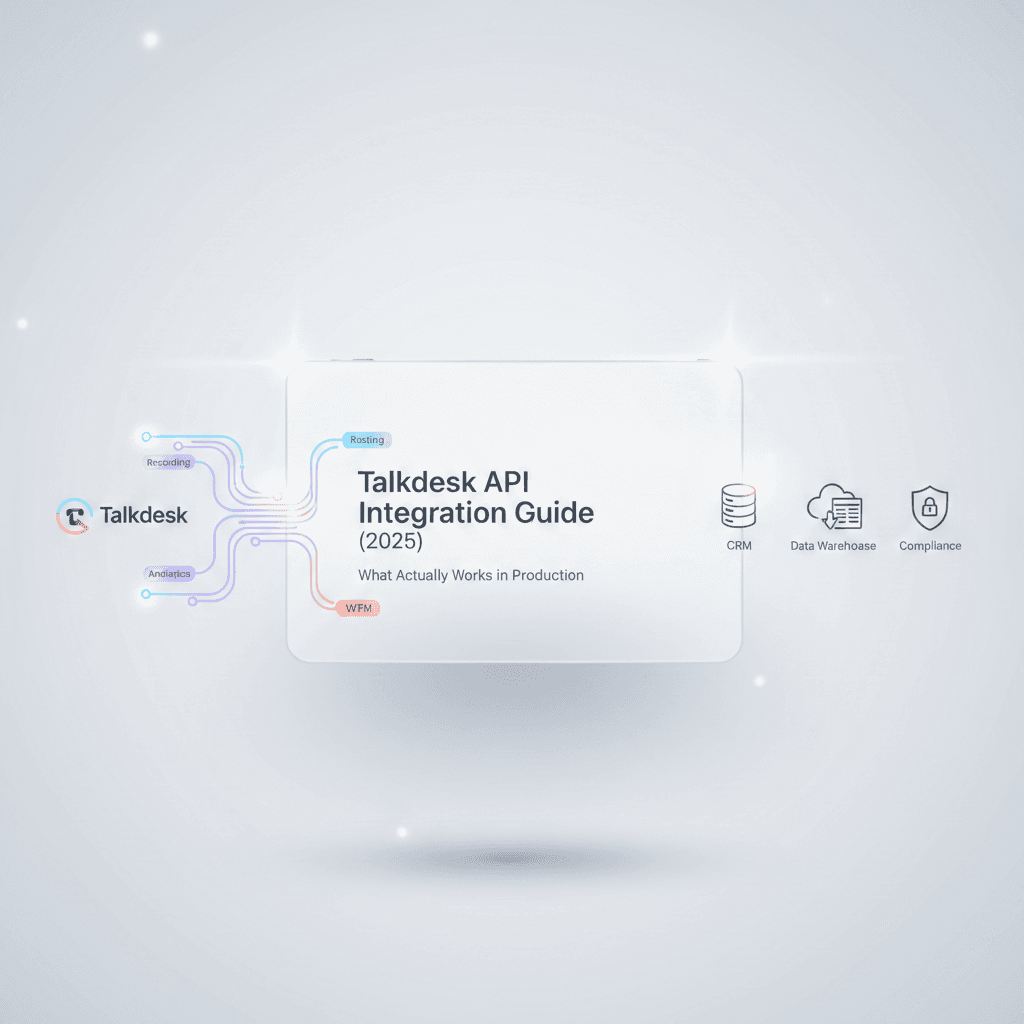
Most CCaaS platforms promise API-first architecture. Talkdesk comes closer than most — but the gap between what's documented and what survives production is wide enough to cost you months of engineering time. This guide covers what we've learned from direct platform experience: which integration patterns hold up, where the landmines are, and what's changing.
What makes Talkdesk's developer platform different from other CCaaS APIs?
Talkdesk runs on a microservices architecture where each capability — routing, recording, analytics, workforce management — operates as a discrete service with its own API surface. This matters for one practical reason that trips up nearly every integration team: eventual consistency.
When you update a contact record in Talkdesk, that change doesn't propagate instantly across all services. Build integrations that assume immediate consistency, and you'll chase phantom bugs for weeks. The upside is genuine: service independence means granular integration points and a smaller blast radius when things fail. The downside is that you need defensive logic throughout your integration code — something Talkdesk's documentation acknowledges but doesn't emphasize nearly enough.
This is a fundamentally different architecture than what you'll find with Twilio Flex, which gives you raw programmable building blocks, or Amazon Connect, which is deeply coupled to the AWS event ecosystem. Talkdesk sits in a middle lane: more opinionated than a CPaaS, more extensible than a traditional CCaaS. For organizations running contact centers in healthcare or financial services — where compliance requirements constrain how much you can customize — that middle lane is often exactly right.
The platform supports regional API gateways across the US, EU, Canada, Australia, the UK, and FedRAMP environments. If you're building integrations serving multiple clients, use the hypermedia links provided in installation events rather than hardcoding URLs. Get this wrong, and you'll have GDPR compliance issues before you've written your first line of business logic.
How does Talkdesk API authentication work?
All Talkdesk APIs use OAuth 2.0 with fine-grained scopes. The platform supports three flows: Client Credentials for server-to-server integrations, Authorization Code for user-delegated access, and Private Key JWT for backend integrations that prefer not to transmit secrets.
Token lifecycle management is where teams consistently underestimate complexity. Implement proactive token refresh — waiting for expiration causes your integration to fail during the exact moment it shouldn't. Cache tokens but respect the expires_in value; over-caching causes silent failures that are maddeningly difficult to diagnose. Build retry logic to handle mid-request token invalidation.
One critical detail that catches teams off guard: when a new scope is granted, propagation can take several minutes. Immediate token requests after scope changes will return 401 errors that look like configuration bugs but are actually timing issues.
Talkdesk also restricts API availability to approved parties. Unlike Twilio or AWS, you can't sign up for a developer account and start building. Customers request access through their Customer Success Manager; partners go through the Partner Project portal. Each client is limited to approved scopes with no ad-hoc permission expansion.
Rate limits and throttling
Talkdesk doesn't publish rigid rate limits for all APIs, which makes capacity planning harder than it should be. Based on production experience, observed limits fall into these ranges:
API Category | Typical Limit | Latency |
|---|---|---|
Contacts CRUD | ~100 requests/minute | 100–300ms |
Conversations Query | ~100 requests/minute | 500–1,500ms for complex queries |
Reporting (Explore API) | ~20 requests/minute | Seconds to minutes (async) |
Bulk Operations | ~10 requests/minute | Use async patterns |
SCIM Provisioning | ~4 requests/second | Varies |
When you hit limits, you'll receive standard HTTP 429 (Too Many Requests) or 503 responses. Implement exponential backoff. For high-volume integration plans, Talkdesk support can sometimes increase limits per account — but you need to ask.
The Explore API for reporting deserves special attention: it enforces an account-level quota of 15 concurrent report jobs, supports up to 1,000,000 rows per request, and won't refresh faster than once per minute. For data warehouse integration with Snowflake, BigQuery, or Redshift, plan around these constraints from the beginning — not after your first pipeline failure.
How to choose between Connections, custom API integrations, and AppConnect
This is the decision framework that's missing from Talkdesk's documentation and from every other guide we've seen. There are three paths to integrating external systems with Talkdesk, and choosing the wrong one wastes months.
When Talkdesk Connections is the right choice
Connections is Talkdesk's low-code integration framework that separates integration logic from call flow logic. You define a Connection (baseline configuration for an external system — authentication, base URL) and then create Actions (specific API calls) that can be reused across Studio flows and Workspace Designer cards.
Use Connections when you need to post data to a webhook when specific events occur, pull customer data from a CRM during call routing, trigger notifications in Slack or Teams based on queue conditions, or send transcripts to an external AI service after interactions end. These integrations — which would typically take a developer two weeks — can often be configured in an afternoon through Connections' visual interface.
Connections pairs with Automations, which specify when actions execute. Triggers include events like "interaction ended" or "agent changed status," combined with filters on attributes like queue, agent skill, or disposition.
When custom API integration is necessary
Connections breaks down with multi-step orchestrations, sophisticated error handling, conditional branching logic, or any integration requiring state management across multiple calls. If your integration logic requires more than a single HTTP request-response cycle, you'll need either an external integration platform (Workato, MuleSoft) or custom middleware.
For enterprises with existing iPaaS investments, the iPaaS-mediated pattern — where your integration platform serves as a central bus connecting CRM, Talkdesk, ERP, and data warehouse — is typically the right architecture. For organizations where the contact center is viewed as a CRM capability extension, a CRM-centric pattern with Talkdesk embedded within the CRM experience often works better.
AppConnect: pre-built integrations worth evaluating
Before building anything custom, check AppConnect — Talkdesk's curated marketplace of pre-built integrations spanning CRM connectors, quality management tools, speech analytics, workforce optimization, payment processing, and knowledge management. Pre-built integrations accelerate deployment by weeks, but verify that the depth matches your requirements before assuming it solves your problem.
This decision is one of the highest-leverage architectural choices in any CCaaS deployment. We've seen organizations spend six months building custom integrations that a Connections workflow could have handled, and we've seen others try to force complex orchestrations through Connections only to rebuild from scratch. The difference between these outcomes is almost always the quality of the upfront integration architecture — not the technical execution.
The Custom Components migration: what happened and what's next
Talkdesk deprecated Custom Components within Studio on January 6, 2026. If you haven't migrated yet, your existing flows are running on borrowed time.
Custom Components — the method many organizations used to inject custom logic into call flows — have been replaced by the Connections framework. Everything must now use the Execute Action component within Studio flows, with authentication credentials centralized in the Connections manager rather than scattered through individual components.
The migration itself isn't complex, but discovering that you have 47 Custom Components scattered across 23 flows creates a painful audit-and-rebuild cycle. For each component, you need to create a Connection in Builder, define and configure the Action, test using built-in tools, and update Studio flows to replace Custom Components with Execute Action components. The critical detail: the "exits" of the new Execute Action component must match those of the original Custom Component to maintain call flow integrity.
Organizations still running Custom Components should treat this as an urgent operational risk. Contact your Talkdesk CSM to understand your current exposure and migration timeline.
Building Studio flows and automation workflows for regulated industries
Studio is Talkdesk's visual flow builder for designing call routing, IVR logic, and automated workflows. The Flows API lets you trigger Studio flows programmatically — initiating outbound calls or self-service IVRs through predefined scripts — while the Callback API places callers in queue without hold time, dialing the agent when the caller reaches the top.
For healthcare and financial services organizations, Studio flow design requires specific architectural patterns that go beyond what the documentation covers.
Healthcare contact center integration patterns
Healthcare contact centers handling PHI need HIPAA-compliant data pipelines from Talkdesk APIs. This means encrypting data in transit and at rest, implementing access controls aligned with minimum necessary standards, and ensuring that transcripts, recordings, and interaction metadata flow through compliant channels.
Talkdesk's Healthcare Experience Cloud — purpose-built for providers and payers — includes pre-configured workflows for appointment scheduling, claims status, and member services. But integrating with EHR systems (Epic, Cerner, athenahealth) requires custom middleware that handles HL7/FHIR data translation, patient matching across systems, and audit logging that satisfies both HIPAA and your compliance team.
Recording access requires additional permissions and involves signed URLs with time-limited validity. In a healthcare context, this means your integration architecture must handle asynchronous retrieval — recordings aren't immediately available post-call, and URLs expire. Build for this from day one rather than discovering it during compliance testing.
Financial services integration considerations
Financial services contact centers face PCI-DSS requirements for payment processing, KYC/AML verification workflows, and core banking system integration. Talkdesk's Voice Biometrics APIs — supporting opt-in/opt-out for caller voice prints and identity insights for verification and fraud detection — are particularly relevant here, as are the Guardian APIs for security analytics including agent behavior anomalies and voice fraud detection.
The Phone Validation API, which assesses inbound numbers for fraud likelihood during IVR, provides a first line of defense that most organizations overlook. Integrating this into your routing logic can flag high-risk calls for additional verification before they reach an agent — reducing fraud exposure without adding friction to legitimate interactions.
How Talkdesk's AI platform works: Autopilot, Copilot, and Navigator
Talkdesk's AI suite addresses three distinct parts of the customer and agent journey, and understanding the boundaries between them is essential for integration planning.
Autopilot is the AI-powered virtual agent for customer self-service across voice and digital channels. It handles routine inquiries — billing lookups, order status, appointment scheduling — using context from Talkdesk's Data Cloud to understand customer history and sentiment. For healthcare payers, Autopilot can handle claims status inquiries and benefits verification without agent involvement.
Copilot is the agent-facing assistant providing real-time support during live interactions. It delivers real-time transcription, "next-best action" suggestions based on conversation context, and automatic interaction summaries. The summary feature typically reduces after-call work by 30–60 seconds per interaction — a meaningful productivity gain when multiplied across thousands of daily interactions. At a 500-seat contact center handling 8 calls per agent per hour, that's roughly 2,000–4,000 hours of recovered capacity per month.
Navigator is the generative AI routing engine replacing traditional IVR menu trees. Instead of "Press 1 for billing, press 2 for support," Navigator understands natural-language requests and dynamically routes customers to the appropriate resource. This is the direction traditional IVR is heading industry-wide, and designing "conversational prompts" rather than "button-press menus" requires fundamentally different skills than conventional IVR development.
The integration implications: Autopilot connects to your knowledge base and backend systems through the Connections framework. Copilot's effectiveness depends on the quality of data flowing from your CRM and knowledge management systems. Navigator's routing accuracy improves with conversation data volume. All three require thoughtful data architecture — not just API connections.
Audio streaming and BYOB architecture
For organizations running "Bring Your Own Bot" strategies — using Kore.ai, custom LLM agents, or other third-party AI — Talkdesk provides WebSocket-based audio streaming through the Conversation Orchestrator and Media Gateway.
The architecture supports both unidirectional streaming (for compliance monitoring and third-party transcription) and bidirectional streaming (for interactive virtual agents). The "stream and hold" capability initiates a stream during a call flow and maintains it until a specific Stop message is received, enabling seamless handoffs between AI and human agents.
For large enterprises with significant on-premises infrastructure, the AI Gateway allows adoption of Talkdesk's AI capabilities (Copilot, Autopilot) without a rip-and-replace migration — integration happens through SIP-REC and middleware.
How Talkdesk compares to Genesys, Twilio Flex, and Amazon Connect for developers
Every CCaaS platform comparison you'll find online focuses on feature checklists and user ratings. Here's what matters from an integration architecture standpoint.
Talkdesk vs. Twilio Flex
Twilio Flex is a programmable framework for building a contact center from components. It offers ultimate customization — you control the agent desktop, routing logic, and data layer — but requires significant engineering resources and ongoing maintenance. You're building and maintaining a contact center, not configuring one.
Talkdesk prioritizes speed-to-value. Studio and Workspace Designer let business users deploy and modify complex workflows without developer involvement. Deep API access exists, but the platform is designed so that 80% of integration needs can be met through low-code tools.
The tradeoff is real: Twilio gives you more raw flexibility at the cost of DIY engineering effort and ongoing maintenance burden. Talkdesk gives you faster time-to-value with constraints on edge cases. For healthcare and financial services organizations — where compliance requirements limit how creative you can be with custom infrastructure — Talkdesk's opinionated architecture is often an advantage, not a limitation.
Talkdesk vs. Genesys Cloud
Genesys Cloud has broader API coverage, superior developer documentation, and a WebSocket notification service that streams any platform event — versus Talkdesk's more constrained Live API approach. If developer experience is your primary selection criterion, Genesys has the edge.
Talkdesk's design choices — the Live API, limited generic webhooks — reduce the complexity of managing hundreds of event types and encourage use of built-in workflows. Less engineering overhead, but teams accustomed to event-driven architectures may need to rethink their approach. Industry analyst ratings currently favor Genesys on breadth; the decision often comes down to whether your team has the engineering depth to leverage that breadth or whether simpler tooling drives faster outcomes.
Talkdesk vs. Amazon Connect
Amazon Connect's advantages are AWS ecosystem integration and pay-per-use economics. EventBridge and Kinesis Streams provide robust event handling that's tightly coupled to the broader AWS data and compute ecosystem. If your organization already runs on AWS and has teams fluent in Lambda, DynamoDB, and Step Functions, Connect can be powerful.
Talkdesk's low-code tools are more accessible for teams without deep AWS expertise. The agent desktop, workforce management, and analytics are integrated rather than assembled from services. For organizations where the contact center team isn't an engineering team, this matters more than raw API capability.
The real selection question
Platform selection shouldn't start with feature matrices. It should start with three questions: What does your integration architecture actually need to support? What engineering capacity do you have to build and maintain custom integrations? And what compliance constraints shape your options?
The answers to those questions — not vendor demos — determine which platform fits. Organizations that get this wrong spend 12–18 months discovering that their chosen platform's strengths don't align with their actual operational requirements.
Webhook reliability, error handling, and production monitoring
Webhook delivery in any distributed system — Talkdesk included — isn't guaranteed. Networks fail, endpoints become temporarily unavailable, and events get lost. Building production-grade integrations requires treating webhook unreliability as a design constraint, not an exception.
Implement acknowledgment and retry logic on your receiver. Build reconciliation processes that poll for missed events during low-traffic periods. Use idempotent event processing so that duplicate deliveries don't corrupt your data. Monitor delivery success rates with dashboards that alert on anomalies before they become customer-impacting failures.
The Live API — Talkdesk's Server-Sent Events (SSE) streaming service for real-time metrics — is a better architecture for use cases that would otherwise require high-frequency polling. POST a subscription request specifying which metrics to stream, receive a unique stream URL, establish an SSE connection, and get continuous updates. This powers wallboards, dynamic staffing applications, and threshold alerting.
Operational note: intermediate proxies can cause long-running SSE connections to timeout. Build auto-reconnect logic with short delays. The architecture supports up to 16 metrics per subscription with 5–60 second update frequency.
For environment promotion — moving configurations between development, staging, and production — pain remains real. Manual recreation, inconsistencies between environments, and lengthy deployment processes are common. Leverage the Flows API for deployment automation, script configuration changes, and build environment comparison tooling.
Contact center data warehouse integration and analytics pipelines
Historical data from Talkdesk follows a request-export model through the Explore API: submit a report request with a date range and metrics, receive a job ID, poll for completion (or configure webhook notification), and retrieve the completed report in CSV or JSON format.
For organizations building analytics on contact center data — whether for operational reporting, customer journey analysis, or training AI/ML models — the architecture options include scheduled API extracts on a batch cadence, native data streaming available on specific Talkdesk tiers, and third-party ETL tools with Talkdesk connectors.
Interaction Analytics provides speech-to-text and NLP analysis across all interactions, including sentiment detection and topic identification. "Mood Insights" go beyond positive/negative classification to detect nuanced states like frustration or urgency through tone, pacing, and word choice. Keyword Sensors trigger immediate supervisor alerts when high-risk terms appear in live conversations.
The data platform-first integration pattern — where Talkdesk data flows to your enterprise data warehouse and reporting/ML is built on the warehouse — is the strongest architecture for organizations with mature data infrastructure. It decouples your analytics from Talkdesk's built-in reporting, gives you full control over data modeling, and lets you join contact center data with CRM, product, and financial data for cross-functional analysis.
Omnichannel integration: where data models diverge
The Digital Connect API provides a unified interface for programmatic messaging across SMS, WhatsApp, and web chat — starting conversations, sending messages, and integrating external chatbots that hand off to human agents.
But here's the integration challenge that catches teams off guard: digital channels follow different data models than voice. Integrations that assume voice-centric data structures fail when chat or SMS interactions lack expected fields like call duration, hold time, or transfer count.
Design channel-aware integrations from the start. Normalize data structures at the integration layer — not in your downstream systems. Test thoroughly across all deployed channels before going to production.
The Simulated Email API — which generates mock inbound email interactions to inject "Contact Us" form submissions into agent queues — is a useful but often overlooked capability for organizations migrating web form processing into the contact center workflow.
Workspace Designer: building the unified agent desktop
Workspace Designer creates custom agent desktop components without traditional development. Build Cards (widgets) and Panels (full sidebar components) that display data from Talkdesk or external systems using a visual component library: Render Form for structured data entry, Render View for standard data display, Render Iframe for embedded external applications, Fetch Data for dynamic retrieval, and Execute Actions to trigger Connection actions from the UI.
The real value: instead of agents toggling between the CRM, order system, knowledge base, and Talkdesk, Workspace Designer brings external data into a single screen. An "Order History" panel can show Shopify data whenever an agent is on a call — configured, not coded.
The limitation is real: highly tailored interfaces with complex business logic, legacy system integration, or pixel-perfect branding requirements will strain the low-code paradigm. Use Workspace Designer for the 80% case and extend with custom development for specialized requirements.
This is the broader challenge across every CCaaS platform: the agent desktop experience directly impacts handle time, resolution rates, and agent satisfaction, but building a truly unified workspace requires integration architecture that goes well beyond what any single platform provides out of the box.
What to do next
If you're evaluating Talkdesk, map your systems, data flows, and real-time requirements before selection. Request sandbox access during evaluation — hands-on testing reveals limitations that documentation can't convey. Validate specific API capabilities against your integration requirements, and understand tier-based API access: certain capabilities require specific packages.
If you're extending an existing deployment, audit your Custom Components migration status immediately. Start with Connections before custom development, and implement comprehensive error handling for distributed system failures. Monitor integration health continuously with dashboards and alerts.
If you're architecting integrations, design for eventual consistency from day one. Abstract the Talkdesk API behind an internal interface layer to insulate your systems from API changes. Plan for scale early — rate limits matter more as volume grows. Version your integrations and maintain upgrade awareness.
And if you're trying to figure out whether Talkdesk is the right platform for your operation in the first place — or how to get more value from the deployment you already have — that's a different kind of problem than any API guide can solve. It requires understanding your operational requirements, compliance constraints, integration landscape, and engineering capacity as a system, not as a feature checklist. That's the kind of assessment we do at InflectionCX, where our advisory team helps healthcare and financial services organizations architect CX operations across any platform stack. [Learn more about our Advisory and Platform Selection services →]
Frequently asked questions
How long does a typical Talkdesk API integration take? Simple integrations using the Connections framework — webhook notifications, single-system data dips, CRM screen pops — can be configured in 1–3 days. Custom API integrations involving multi-step orchestration, data warehouse pipelines, or EHR/core banking connections typically require 4–12 weeks depending on complexity, compliance requirements, and the number of systems involved.
What are Talkdesk's API rate limits? Talkdesk doesn't publish rigid rate limits for all APIs. Observed production limits are approximately 100 requests/minute for Contacts and Conversations APIs, 20 requests/minute for Reporting, and 4 requests/second for SCIM provisioning. Limits can sometimes be increased per account through Talkdesk support.
Can Talkdesk integrate with Epic, Cerner, or other EHR systems? Yes, but not out of the box. EHR integration requires custom middleware that handles HL7/FHIR data translation, patient matching across systems, and HIPAA-compliant audit logging. Talkdesk's Healthcare Experience Cloud provides the contact center foundation, but the EHR integration layer needs to be architected specifically for your clinical workflow and compliance requirements.
How does Talkdesk handle PCI-DSS compliance for payment processing? Talkdesk supports PCI-compliant payment processing through pause-and-resume recording controls and secure payment IVR flows. The Voice Biometrics APIs add identity verification capabilities, and the Guardian APIs provide fraud detection analytics. Full PCI compliance requires architectural decisions at the integration layer — not just platform configuration.
Is Talkdesk better than Genesys for contact center API integration? It depends on your engineering capacity and integration complexity. Genesys Cloud offers broader API coverage and a more mature developer ecosystem. Talkdesk offers faster time-to-value through low-code tools like Connections, Studio, and Workspace Designer. For organizations with limited developer resources or those prioritizing speed of deployment, Talkdesk's approach often delivers results faster. For organizations with deep engineering teams building complex, event-driven architectures, Genesys provides more flexibility.
What is the Talkdesk Connections framework? Connections is Talkdesk's low-code integration framework that replaced Custom Components in January 2026. It separates integration logic from call flow logic through two concepts: Connections (baseline configurations for external systems) and Actions (specific API calls against those connections). Actions can be reused across Studio flows and Workspace Designer, with authentication centralized rather than scattered through individual components.
How do you integrate Talkdesk with Salesforce? Talkdesk offers both a pre-built Salesforce integration through AppConnect and custom integration options through the Connections framework and direct APIs. The pre-built integration handles screen pops, activity logging, and click-to-dial. For deeper integration — CRM-driven routing logic, custom object synchronization, or bidirectional workflow triggers — you'll need the Connections framework or custom middleware, depending on complexity.
What is Talkdesk Autopilot and how does it compare to other CCaaS virtual agents? Talkdesk Autopilot is an AI-powered virtual agent for customer self-service across voice and digital channels. It uses Talkdesk's Data Cloud for customer context and sentiment understanding. Compared to Amazon Connect's Lex-based bots, Autopilot requires less technical configuration. Compared to Genesys's Dialog Engine Bot Flows, Autopilot offers tighter integration with Talkdesk's native analytics and agent handoff workflows.
This guide is part of InflectionCX's CCaaS Integration Series — platform-specific technical guides for contact center leaders in healthcare and financial services. InflectionCX is a unified CX operations company that combines AI agents, human agents, and intelligence systems in a single operating framework, working across any CCaaS, CRM, and WFM stack. [Explore our approach →]
More in Analysis

Ready for Better CX?

Whether you're selecting your CX technology stack or evaluating outsourcing options, InflectionCX is your go-to-partner. Contact us today.
AI Readiness Assessment
We map where AI fits in your operation. What's working, what's hype, what's actually worth doing.

Unified CX Outsourcing
InflectionCX runs contact centers where humans and AI operate as one system.